


Website Development Cost in the USA (2026): 7 Costly Mistakes Small Businesses Should Avoid
How Much Does Website Development Cost in 2026?
If you’ve requested quotes from several web development companies, you’ve probably noticed something confusing—the prices can vary dramatically.
One freelancer may quote $1,500, while a boutique agency estimates $15,000–$20,000 for what appears to be a similar project. Enterprise agencies may recommend budgets of $80,000 or more, while DIY website builders advertise plans starting at less than $20 per month. It’s no wonder many business owners are left wondering why the price differences are so dramatic.
So why is there such a huge difference?
The short answer is that these quotes often represent completely different levels of strategy, design, development, support, and long-term value—not just different prices.
A website isn’t just a collection of pages. It’s a business asset that combines strategy, UX design, development, performance optimization, technical SEO, security, accessibility, integrations, and long-term maintenance. Every project has different objectives, functionality, and technical requirements, which is why pricing can vary so significantly.
Businesses looking for a professional website often compare agencies based on price, experience, and long-term value. If you’re evaluating your options, explore our website development services to see how we approach custom website projects for U.S. businesses.
Why Trust This Guide.
Website development pricing can vary significantly because every business has different goals, technical requirements, and long-term growth plans. This guide is based on current U.S. market practices, publicly available pricing information from established agencies, official platform documentation, and industry best practices. Rather than promoting fixed prices, we explain the real factors that influence website development costs so you can make informed decisions before investing in a new website.
The following figures represent typical U.S. market investment ranges based on publicly available agency pricing and current industry trends. Actual costs vary depending on project scope, functionality, integrations, timeline, and business requirements.
| Website Type | Typical Investment |
|---|---|
| Landing Page | $800–$3,000 |
| Small Business Website | $2,000–$10,000 |
| Corporate Website | $10,000–$30,000 |
| Ecommerce Website | $5,000–$25,000+ |
| Enterprise Web Application | Starting from $25,000 (large enterprise projects can exceed $100,000) |
These ranges are intended as general market estimates rather than fixed prices. The final investment depends on your business goals, feature requirements, platform, design complexity, integrations, accessibility needs, and ongoing support requirements.
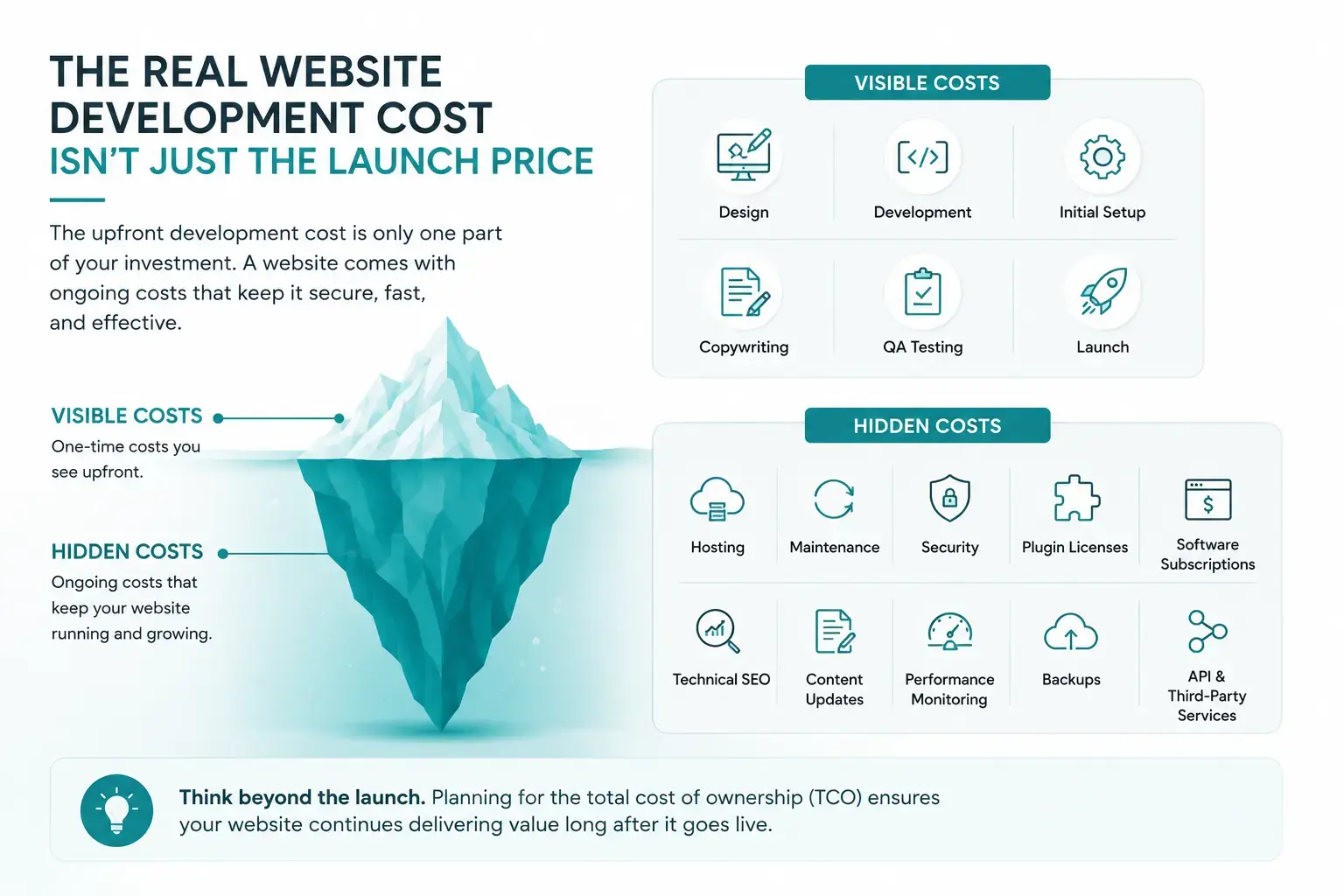
The Real Website Development Cost Isn't Just the Launch Price
One of the most common mistakes businesses make is comparing website proposals based only on the upfront price..
The upfront website development cost is only one part of your investment. Like owning a car or a commercial building, a website comes with ongoing operating costs that directly affect its performance, security, and longevity.
Think of website pricing as an iceberg.
Website Development Costs
Visible Costs
- Design
- Development
- Initial Setup
- Copywriting
- QA Testing
- Launch
Hidden Costs
- Hosting
- Maintenance
- Security
- Plugin Licenses
- Software Subscriptions
- Technical SEO
- Content Updates
- Performance Monitoring
- Backups
- API & Third-Party Services
Planning for TCO helps businesses avoid unexpected expenses and ensures the website continues delivering value long after it goes live.
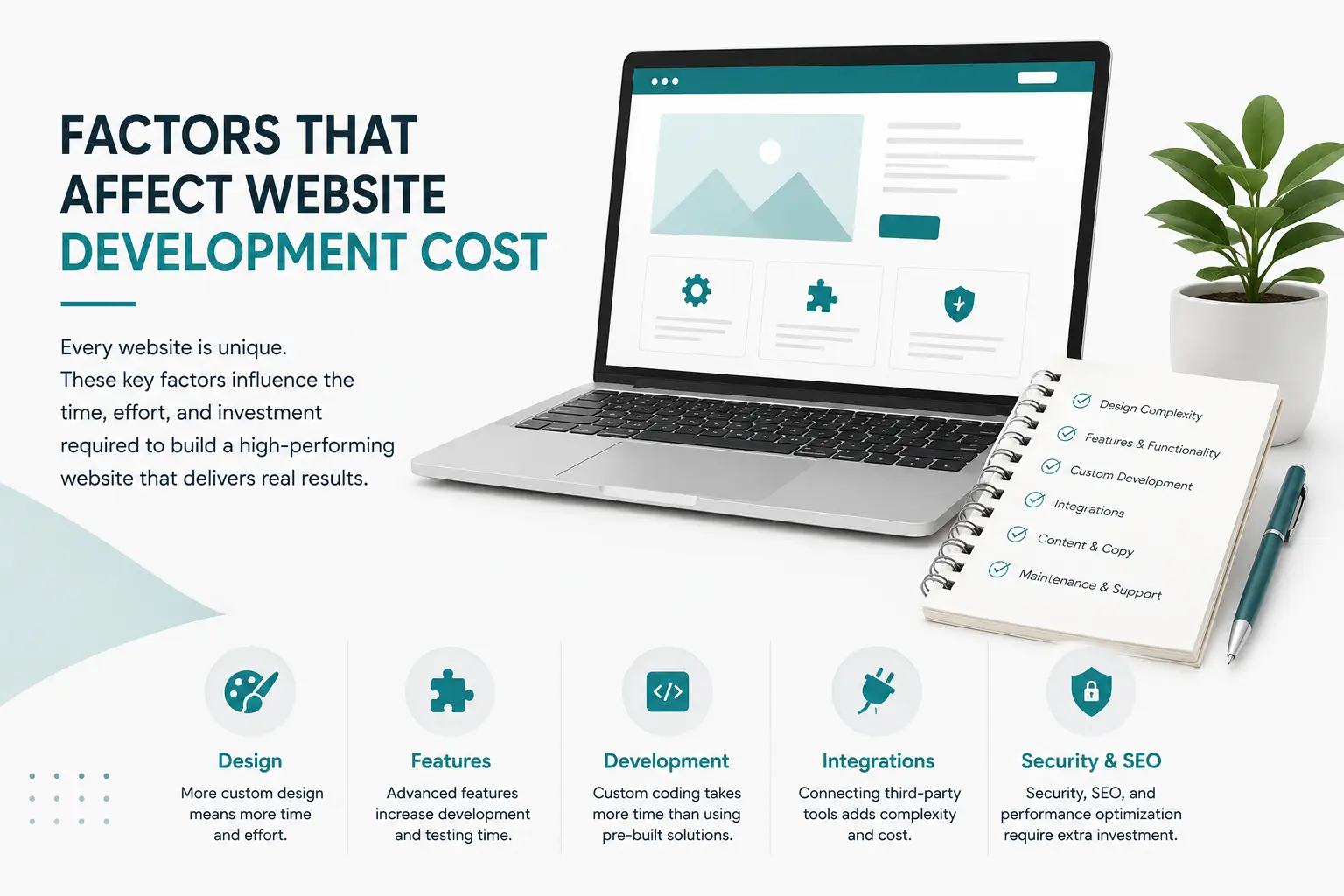
Website Development Cost by Project Type
Website development cost varies because not all websites are built for the same purpose. A one-page landing page, an ecommerce website, and a custom web application require different levels of planning, design, development, testing, and ongoing support. As a result, website development costs can vary significantly from one project to another. A one-page landing page, an ecommerce store, and a custom business platform require different levels of planning, design, development, and testing. That’s why website development costs can vary significantly from one project to another.
The table below outlines the typical website development cost for professionally built websites in the United States in 2026. These figures represent general market investment ranges based on publicly available agency pricing and industry trends. They should be used as budgeting estimates rather than fixed quotations, as actual website development costs depend on project scope, functionality, integrations, accessibility requirements, content, and business goals.
| Website Type | Typical Initial Investment | Annual Ongoing Cost | Typical Timeline | Best For |
|---|---|---|---|---|
| Landing Page | $800–$3,000 | $200–$600 | 1–2 weeks | Product launches, campaigns, single-service businesses |
| Small Business Website | $2,000–$10,000 | $600–$2,400 | 3–6 weeks | Local businesses and professional services |
| Corporate Website | $10,000–30,000+ | $2,400–$6,000 | 6–10 weeks | Mid-sized companies and B2B organizations |
| Ecommerce Website | $5,000–$25,000+ | $1,200–$5,000 | 6–12 weeks | Online retailers and growing brands |
| Enterprise Web Application | Starting from $25,000 | $6,000–$20,000+ | 3–6 months | SaaS platforms, portals, and enterprise systems |
Quick Tip: Don’t compare website quotes based only on price. Two websites with the same initial investment can deliver completely different results depending on design quality, technical SEO, custom functionality, integrations, and ongoing support. Always review what’s included before making a decision.
These figures are based on publicly available agency pricing and industry benchmarks. Actual costs vary depending on business requirements, design complexity, integrations, content requirements, accessibility, and project scope.
Small Business Website Development Cost: What Can You Expect to Pay?
For many local businesses, a professional website is one of the highest-return marketing investments they can make.Most small business websites include between five and fifteen pages, providing enough space to introduce the company, explain services, showcase testimonials, answer common questions, and generate qualified leads.
If you’re planning a new website or replacing an outdated one, our custom website development services help small businesses build fast, modern, and scalable websites tailored to their goals.
A professionally developed small business website generally includes:
- Custom or semi-custom responsive design
- Mobile-first development
- Contact forms and lead capture
- CMS setup (WordPress or Webflow)
- Basic on-page SEO
- Google Analytics and Search Console integration
- SSL security configuration
- Performance optimization
- Standard accessibility practices
The total investment typically increases when businesses require additional functionality such as:
- Professional copywriting
- Custom photography or illustrations
- Interactive calculators
- Multi-location service pages
- Appointment booking systems
- CRM integrations
- Advanced animations
- Custom business logic
The more tailored the solution, the greater the development effort—and the higher the overall investment.
Corporate Website Development Cost: What Drives the Investment?
As businesses grow, their websites need to do more than display information—they need to support marketing, sales, recruitment, and customer engagement.
A corporate website typically contains 15 to 40+ pages, multiple user journeys, advanced integrations, and a carefully planned information architecture. Unlike a basic brochure website, these projects require strategic planning, custom design, and a stronger technical foundation.
What’s Typically Included
Most corporate website projects include:
- Custom UI/UX design based on business goals
- Wireframing and user journey planning
- Responsive development across all devices
- Advanced content management
- Portfolio or case study filtering
- Team and career pages
- CRM integrations (such as HubSpot or Salesforce)
- Accessibility improvements (ADA/WCAG)
- Technical SEO implementation
- Performance optimization
What Increases the Cost?
Corporate website costs often increase due to the following factors:
- Multiple stakeholder approval cycles
- Larger page counts
- Complex content migration
- Custom animations and interactions
- Third-party software integrations
- Enterprise security requirements
- Additional QA and browser testing
While the investment is higher, a professionally built corporate website provides better scalability, stronger lead generation, and a significantly improved customer experience.
Custom Web Applications & Client Portals ($15,000–$50,000+)
There’s an important difference between a website and a web application.
Traditional websites primarily present information, while web applications allow users to perform tasks, manage data, and interact with business systems in real time.
If your project requires users to log in, upload files, manage accounts, track orders, or interact with live databases, you’re no longer building a traditional website—you’re developing a custom application.
Common Features
Custom web applications often include:
- Secure user authentication
- Customer or employee portals
- Membership dashboards
- Role-based permissions
- Document management
- API integrations
- Automated workflows
- Real-time database synchronization
- Reporting dashboards
- Custom administrative panels
Major Cost Drivers
Pricing increases as technical complexity grows. The biggest factors include:
- Custom API development
- Payment gateway integrations
- ERP and CRM connectivity
- Legacy database migration
- Advanced security and encryption
- Multi-user permission systems
- Scalability planning
- Extensive testing and quality assurance
These projects typically require collaboration between UX designers, backend developers, frontend engineers, QA specialists, and project managers, making them significantly more resource-intensive than standard websites.
How Much Does E-Commerce Website dvelopment Cost?
Ecommerce pricing varies more than almost any other type of web project.
A simple online store with 50 products requires far less development than an enterprise ecommerce platform managing thousands of products, multiple warehouses, subscriptions, and international sales.
Businesses planning to sell online should also consider working with an experienced e-commerce website development company to choose the right platform and avoid costly rebuilds later.
Simple Ecommerce Store ($5,000–$15,000)
Ideal for small and growing businesses.
Typical features include:
- Up to 100 products
- Shopify or WooCommerce setup
- Standard payment gateways
- Basic shipping configuration
- Inventory management
- Product categories
- Coupon functionality
- Mobile optimization
- Basic SEO
This type of website works well for startups and local retailers entering ecommerce for the first time.
Enterprise Ecommerce ($25,000–$80,000+)
Large online retailers require significantly more infrastructure.
Enterprise ecommerce solutions often include:
- Thousands of products
- Multi-location inventory
- ERP integration
- CRM synchronization
- Subscription billing
- Wholesale pricing
- Multi-currency support
- Multi-language functionality
- Advanced search
- Custom checkout experiences
- Headless commerce architecture
- API-driven integrations
Because every additional integration requires planning, development, testing, and maintenance, enterprise ecommerce projects naturally involve much larger budgets.
Landing Page Development Cost: Is One Page Enough?
Not every business needs a full website.
Sometimes a single, high-converting landing page is enough to generate leads, promote a product launch, or support a paid advertising campaign.
A professionally designed landing page focuses on one objective—getting visitors to take action.
A Quality Landing Page Usually Includes
- Strong hero section
- Persuasive sales copy
- Strategic call-to-action buttons
- Lead capture forms
- Mobile optimization
- Fast loading performance
- Trust signals
- Testimonials
- Analytics integration
What Can Increase the Cost?
Landing page pricing rises when businesses request:
- Interactive calculators
- Custom illustrations
- Motion graphics
- Advanced animations
- A/B testing
- Marketing automation integrations
- Dynamic personalization
Although landing pages cost less than complete websites, investing in conversion-focused design can significantly improve advertising ROI.
Website Redesign vs. Building a New Website
Many businesses assume redesigning an existing website is cheaper than building one from scratch.
In reality, redesign projects can be just as complex—and sometimes even more expensive.
An existing website often contains years of accumulated content, outdated code, broken links, and technical debt that must be addressed before new development begins.
Common Redesign Tasks
A professional redesign typically includes:
- Content auditing
- Content migration
- Database cleanup
- URL mapping
- 301 redirect implementation
- Technical SEO preservation
- Image optimization
- Performance improvements
- Accessibility enhancements
- Mobile usability updates
One of the most critical tasks during a redesign is protecting existing SEO performance.
Without proper redirect planning, businesses can lose valuable rankings, backlinks, and organic traffic almost overnight.
For that reason, an experienced agency will always include SEO migration planning as part of a professional redesign process rather than treating it as an optional extra.
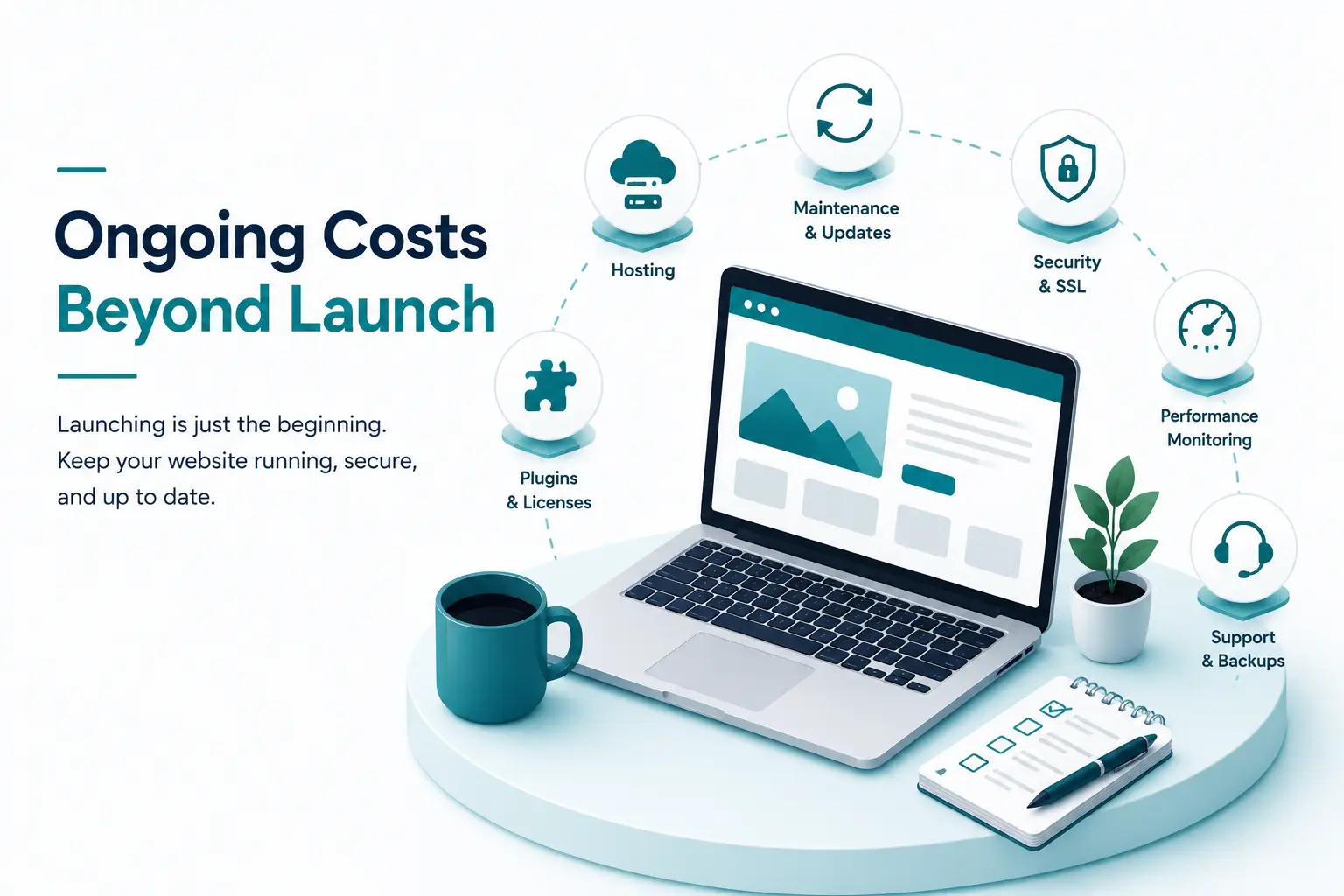
The Hidden Cost of Website Ownership
The initial build is only part of the investment.
Every professional website requires ongoing maintenance to remain secure, fast, and competitive.
These recurring costs form what’s known as the Total Cost of Ownership (TCO).
A typical first-year budget may include:
| Expense | Typical Share |
|---|---|
| Initial Website Build | 70% |
| Hosting & Infrastructure | 10% |
| Security & Maintenance | 8% |
| Software & Plugin Licenses | 7% |
| Content Updates & Optimization | 5% |
Businesses that only budget for the launch often underestimate the long-term investment required to maintain performance, security, and search visibility.
Planning for these ongoing costs from the start leads to more predictable budgets and better long-term ROI.
Hidden Website Costs You Should Budget For
One of the biggest misconceptions about website development is that the initial build is the only expense. In reality, launching your website is just the beginning. Keeping it secure, fast, and effective requires ongoing investment throughout its lifecycle. Every website requires ongoing investment to remain secure, fast, and effective.
Understanding these recurring expenses will help you calculate the true website development cost and avoid unexpected surprises.
1. Web Hosting & Infrastructure
Hosting is the foundation of every website. It affects loading speed, security, uptime, and scalability.
Shared Hosting ($5–$20/month)
Shared hosting is the most affordable option because multiple websites share the same server resources. While it’s suitable for personal blogs or hobby websites, it often lacks the speed, reliability, and security that businesses need.
Best for: Personal websites and low-traffic projects.
Managed WordPress & Webflow Hosting ($25–$100/month)
Managed hosting includes automatic updates, backups, staging environments, CDN integration, and enhanced security.
This is the preferred choice for most small and medium-sized businesses because it reduces technical maintenance while delivering better performance.
Best for: Business websites, agencies, and professional service companies.
Dedicated Cloud Infrastructure ($200–$1,000+/month)
Large websites, SaaS platforms, and enterprise applications often require dedicated cloud environments such as AWS, Google Cloud, Azure, or Vercel.
These solutions offer superior scalability, security, and redundancy but require experienced engineers to configure and maintain them.
Best for: High-traffic websites, enterprise platforms, and custom web applications.
2. Domain Registration
A domain name is one of the smallest expenses in a web project, but it’s still essential.
Typical annual costs include:
- Standard .com domains: $12–$20/year
- Premium domains: $100–$10,000+
- Industry-specific extensions such as .ai, .io, or .app generally cost more than traditional domains.
If your brand depends heavily on online visibility, investing in a memorable domain can be worthwhile.
3. Premium Plugins, Software & API Licenses
Modern websites rarely operate using core CMS features alone.
Most businesses rely on third-party software to improve functionality.
Common annual expenses include:
| Software Type | Typical Cost |
|---|---|
| Form Builders | $50–$300/year |
| Security Plugins | $100–$400/year |
| Ecommerce Apps | $200–$2,000+/year |
| Email Services | $10–$100/month |
| Marketing Automation | Varies |
| CRM Integrations | Varies |
Although each subscription may seem inexpensive individually, together they can become a significant part of your annual website budget.
4. Website Maintenance & Security
A website is never truly “finished.”
Software updates, security patches, plugin compatibility, backups, performance monitoring, and bug fixes all require ongoing attention.
Professional maintenance plans generally range from:
| Website Type | Monthly Cost |
|---|---|
| Small Business Website | $100–$500 |
| Corporate Website | $300–$1,000 |
| Ecommerce Website | $500–$2,500+ |
Regular maintenance helps prevent downtime, security breaches, and compatibility issues while extending the lifespan of your website.
5. Content Creation & Copywriting
Even the most beautifully designed website won’t generate results without compelling content.
Businesses often underestimate the cost of:
- Professional copywriting
- Product descriptions
- Service pages
- Case studies
- Blog content
- Photography
- Custom illustrations
- Video production
Professional website copy generally ranges from $150–$300 per page, while custom visual assets can add several thousand dollars depending on project requirements.
What Actually Drives Website Development Costs?
Many business owners compare proposals based only on price.
A better question is:
What are you actually paying for?
Several factors have the biggest impact on website development cost.
Project Scope
A five-page brochure website naturally requires fewer design, development, and testing hours than a 40-page corporate website.
Additional pages also increase:
- Content creation
- Internal linking
- Mobile testing
- Quality assurance
- SEO implementation
The larger the project, the greater the investment.
Custom Design vs. Templates
This is one of the biggest pricing differences you’ll encounter.
Template-Based Website ($2,000–$5,000)
Template websites modify an existing design by changing colors, typography, branding, and content.
Advantages:
- Lower cost
- Faster delivery
- Proven layouts
Limitations:
- Less flexibility
- Generic appearance
- Limited scalability
Fully Custom UI/UX Design ($10,000–$30,000+)
Custom websites are designed from scratch around your business goals and customer journey.
The process usually includes:
- User research
- Wireframes
- UX planning
- Interactive prototypes
- Design systems
- Accessibility reviews
- Responsive testing
Although the investment is higher, custom design delivers stronger branding, improved user experience, and better long-term scalability.
Choosing the Right CMS
The content management system you choose affects both your upfront investment and long-term operating costs.
WordPress
WordPress remains one of the most flexible CMS platforms available.
Advantages
- Highly customizable
- Large plugin ecosystem
- Excellent SEO flexibility
- Suitable for almost every business type
Considerations
- Requires ongoing maintenance
- Plugin conflicts can occur
- Security updates must be managed
Webflow
Webflow combines visual design with clean code generation.
Advantages
- Minimal maintenance
- Excellent performance
- Modern visual editing
- Built-in hosting
Considerations
- Higher monthly subscription costs
- Smaller ecosystem than WordPress
Shopify
Shopify is purpose-built for ecommerce.
Advantages
- Excellent checkout experience
- Built-in security
- Managed hosting
- Easy product management
Considerations
- Monthly platform fees
- App subscriptions can increase costs
- Less flexibility for highly customized websites
Custom Development (Next.js, React, Headless CMS)
Custom technology stacks provide complete flexibility but require experienced development teams.
These projects are ideal when businesses need:
- Custom workflows
- Enterprise integrations
- High-performance applications
- API-first architecture
- SaaS platforms
They also represent the highest development investment.
Custom Features & API Integrations
The more systems your website communicates with, the more development time is required.
Examples include:
- CRM integrations
- ERP systems
- Payment gateways
- Booking platforms
- Marketing automation
- Customer portals
- Inventory management
- SMS notifications
- Accounting software
Each integration requires planning, development, testing, documentation, and future maintenance.
Technical SEO & Website Migration
Professional website development extends well beyond design.
Technical SEO should be included from the beginning—not added after launch.
This typically includes:
- XML sitemaps
- Structured data (Schema)
- Canonical tags
- Optimized URLs
- Redirect mapping
- Meta data
- Open Graph implementation
- Robots.txt
- Crawl optimization
If you’re redesigning an existing website, 301 redirects become especially important.
Without proper redirect planning, businesses risk losing valuable search rankings, backlinks, and organic traffic after launch.
Accessibility & Legal Compliance
Accessibility is no longer optional for many organizations.
Professional websites should follow WCAG guidelines to improve usability for everyone, including visitors using assistive technologies.
Accessibility work may include:
- Keyboard navigation
- Color contrast improvements
- Screen reader compatibility
- Alt text optimization
- Focus indicators
- ARIA labels
Depending on project complexity, accessibility improvements can add $1,000–$4,000 to the overall project cost—but they also reduce legal risk and create a better user experience.
Core Web Vitals: Why Website Performance Matters
Website speed isn’t just about creating a better user experience—it also influences engagement, lead generation, and search visibility.
Google evaluates website performance using Core Web Vitals, a set of metrics designed to measure loading speed, responsiveness, and visual stability.
| Core Web Vital | Recommended Target |
|---|---|
| Largest Contentful Paint (LCP) | Under 2.5 seconds |
| Interaction to Next Paint (INP) | Under 200 milliseconds |
| Cumulative Layout Shift (CLS) | Below 0.1 |
Achieving these benchmarks requires more than simply compressing images. A high-performing website is engineered using techniques such as:
- Image optimization
- Lazy loading
- Code minification
- Browser caching
- Content Delivery Networks (CDNs)
- Script optimization
- Clean HTML structure
- Efficient database queries
Faster websites typically provide a better user experience, improve engagement, and support stronger conversion performance.
Who Should Build Your Website?
The right development partner depends on your budget, business goals, and the complexity of your project.
| Option | Typical Investment | Best For |
|---|---|---|
| DIY Website Builders | $0–$50/month | Personal projects and startups |
| Freelancers | $2,000–$8,000 | Small business websites |
| Offshore Teams | $1,500–$6,000 | Businesses with technical oversight |
| Professional Agencies | $8,000–$50,000+ | Growth-focused companies and enterprise projects |
DIY Website Builders
Platforms like Wix, Squarespace, and Shopify make it possible to launch a website quickly without coding knowledge.
Pros
- Low upfront cost
- Fast setup
- Beginner-friendly
Cons
- Limited customization
- Reduced scalability
- Significant time investment
- Difficult to build a strong competitive advantage
DIY builders are ideal for validating ideas, but growing businesses often outgrow their limitations.
Freelance Web Developers & Designers
Freelancers can deliver excellent value for straightforward projects.
Pros
- Lower development costs
- Direct communication
- Flexible workflows
Cons
- Limited capacity
- Single point of failure
- Skills vary significantly
- Often require the client to coordinate strategy, content, SEO, and design
Choosing an experienced freelancer with a strong portfolio is essential.
Offshore Development Teams
Offshore teams often provide attractive pricing, particularly for technically complex work.
Pros
- Lower hourly rates
- Larger development capacity
Cons
- Time-zone differences
- Communication challenges
- Greater project management responsibility
- Variable quality standards
Businesses with experienced technical leadership generally achieve the best results from offshore development.
Professional Web Development Agencies
For businesses that rely on their website to generate leads, sales, or customer engagement, partnering with an experienced agency usually provides the most comprehensive solution.
A professional agency typically offers:
- Strategy workshops
- UX research
- UI design
- Front-end development
- Back-end development
- Technical SEO
- Performance optimization
- Quality assurance
- Ongoing support
While agencies involve a higher initial investment, they often reduce project risk and deliver stronger long-term business outcomes.
WordPress vs. Webflow vs. Shopify vs. Custom Development
Choosing the right platform has a direct impact on both your website development cost and future maintenance requirements.
| Platform | Typical Build Cost | Ongoing Cost | Maintenance |
|---|---|---|---|
| WordPress | $2,000–$15,000 | $15–$100/month | High |
| Webflow | $3,000–$20,000 | $14–$42/month | Low |
| Shopify | $3,000–$25,000 | $39–$399/month | Low |
| Custom Stack | $20,000–$80,000+ | $100–$500+/month | Moderate to High |
Rather than asking which platform is “best,” ask which platform best aligns with your business objectives, growth plans, and internal resources.
Is AI Reducing Website Development Costs?
Artificial intelligence has transformed many aspects of web development.
Today’s AI tools can assist with:
- Code generation
- Wireframe creation
- Content drafting
- Bug detection
- Image generation
- Repetitive development tasks
However, AI has not eliminated the need for experienced professionals.
Successful websites still depend on:
- Business strategy
- UX planning
- Brand positioning
- Conversion optimization
- Technical architecture
- Accessibility
- Security
- Quality assurance
AI accelerates production, but experienced designers, developers, and strategists ensure the final product supports real business goals.
The Hidden Cost of Choosing the Cheapest Quote
Selecting the lowest-priced proposal can be tempting, but it often creates higher costs over time.
A low-cost website may include:
- Generic templates
- Slow performance
- Poor mobile experience
- Limited SEO optimization
- Weak security
- Minimal documentation
- Limited scalability
By comparison, a professionally developed website is designed to support long-term growth.
Even modest improvements in conversion rates can generate significantly more revenue over the life of a website, making quality development a worthwhile investment rather than simply an expense.
Fixed-Price vs. Time & Materials Contracts
Most agencies use one of two pricing models.
Fixed-Price Contracts
Best suited for projects with clearly defined requirements.
Advantages
- Predictable budget
- Clearly defined deliverables
- Reduced financial uncertainty
Considerations
Changes outside the agreed scope usually require additional approval and budget.
Time & Materials (T&M)
Ideal for evolving projects where requirements may change.
Advantages
- Greater flexibility
- Easier feature prioritization
- Better suited for complex applications
Considerations
Requires active project management to keep budgets under control.
How to Evaluate a Website Proposal
Before signing any agreement, confirm that the proposal clearly includes:
Discovery and planning
UX/UI design
Responsive development
Technical SEO
Performance optimization
Browser testing
Accessibility considerations
Content migration (if applicable)
Launch support
Warranty or post-launch maintenance
A detailed proposal reduces misunderstandings and helps ensure both parties have clear expectations.
Website Ownership Matters
When your project is complete, your business should own:
- Domain name
- Website files
- Source code
- Design assets
- Database
- Analytics accounts
- Google Search Console
- Tag Manager access
Ownership should be clearly defined in your contract before development begins.
How to Evaluate a Website Development Proposal
Comparing website development proposals isn’t just about finding the lowest price. It’s about understanding exactly what is included in the project. Two agencies may charge similar prices while delivering completely different levels of quality, support, SEO, and functionality.
What Should Be Included in a Professional Proposal
A comprehensive web development proposal should clearly itemize:
[ ] Discovery Phase: Target audience research, sitemap creation, and wireframing.
[ ] Design System: Number of custom UI page templates and revision rounds included.
[ ] Development Scope: Tech stack specified (WordPress, Webflow, Shopify, Custom) and responsiveness standards.
[ ] Content Deliverables: Who is writing copy, sourcing imagery, and uploading page content.
[ ] Technical SEO: Schema installation, metadata setup, image compression, and redirect mapping.
[ ] Quality Assurance: Browser compatibility testing, mobile responsiveness checks, and Core Web Vitals optimization.
[ ] Launch Protocol: Domain DNS propagation, SSL setup, and Google Search Console indexing.
[ ] Post-Launch Warranty: A defined period (typically 30 to 90 days) covering bug fixes at no extra charge.
Red Flags to Watch For
Even a professional-looking proposal can hide important details. Before choosing a web development company, watch for these warning signs:
• Unusually low pricing tied to expensive long-term retainers or mandatory support contracts.
• “Unlimited pages” claims without clearly defining what is included in the project scope.
• No mention of mobile responsiveness, browser testing, or quality assurance.
• Generic promises such as “SEO included” without explaining what SEO work will actually be performed.
• No staging environment for testing before the website goes live.
• No clear explanation of who owns the domain, website files, source code, or design assets after the project is completed.
• Missing post-launch support, warranty, or maintenance details.
These warning signs don’t automatically mean a company should be avoided, but they should encourage you to ask more questions before signing a contract.
Questions to Ask Before Signing a Contract
“Will our team own 100% of the website design, code, and content once the final invoice is paid?”
“Is content migration and 301 redirect mapping included in this proposal?”
“What specific platform is this being built on, and can our internal staff edit basic text and images without paying developer fees?”
“What happens if we need to adjust the project scope midway through development?”
“What level of performance (Core Web Vitals) and ADA accessibility compliance do you guarantee at launch?”
Frequently Asked Questions (FAQ)
How much should a simple 5-page small business website cost?
In 2026, a professional 5-page small business website built by an experienced U.S. freelancer or boutique agency typically costs $2,000 to $6,000. This range includes semi-custom design, responsive development, mobile testing, basic SEO metadata, and contact form integrations.
Can I build a website myself for free?
You can build a site for minimal out-of-pocket costs using platforms like Squarespace, Wix, or WordPress.com. However, “free” plans usually display platform ads and force generic subdomains (e.g., yourbusiness.wixsite.com). A basic commercial setup requires a paid tier ($15 – $30/mo) plus your time investment in design, copy, and troubleshooting.
Why do web development agency quotes vary so drastically?
Quotes vary because agencies are pitching vastly different scopes of work, methodologies, and expertise. A $3,000 quote often relies on pre-built templates, minimal customization, and client-provided assets. A $20,000 quote typically covers user strategy, custom Figma UI designs, professional copywriting, API integrations, technical SEO, performance tuning, and quality assurance testing.
How long does it take to develop a professional website?
A landing page or simple business site takes roughly 2 to 4 weeks. A custom B2B corporate site takes 6 to 10 weeks. Complex ecommerce platforms or custom web applications take 12 to 24 weeks depending on feedback rounds, API testing, and backend integrations.
What are the ongoing annual costs to maintain a website?
Expect to spend $300 to $1,500 per year for a basic small business site covering managed hosting, domain renewals, security monitoring, and basic plugin licenses. Larger corporate sites and active ecommerce stores spend $2,000 to $10,000+ per year on high-capacity cloud hosting, advanced security suites, software applications, and technical SLA maintenance retainers.
Is WordPress cheaper than Webflow or Shopify?
The core WordPress software is free, but hosting, security tools, and premium plugins bring its ongoing costs to a similar level as Webflow or Shopify. Webflow ($14 – $42/mo) and Shopify ($39 – $399/mo) bundle hosting, security, and infrastructure into single monthly subscriptions, making their overall operational costs predictable.
How long does it take to build a website?
Project timelines vary depending on complexity.
- Landing page: 1–2 weeks
- Small business website: 3–6 weeks
- Corporate website: 6–10 weeks
- Ecommerce website: 6–12 weeks
- Enterprise application: 3–6 months
Final Thoughts
Your website is more than a marketing asset—it’s one of the most important investments your business can make.
While it’s natural to compare quotes based on price, the website development cost should always be evaluated alongside the value it delivers. A professionally planned website can improve user experience, strengthen your brand, generate qualified leads, and support long-term business growth.
Before choosing a development partner, define your goals, understand the total cost of ownership, and evaluate proposals based on expertise, transparency, and long-term support—not just the lowest quote.
Businesses that invest strategically often achieve better performance, higher conversion rates, and a stronger return on investment over time.
Need a Website Development Quote?
Whether you’re planning a new website, redesigning an existing one, or exploring ecommerce or custom web applications, start with a clear understanding of your business goals and budget.
A well-planned project delivers far more than an attractive design—it creates a website built to grow with your business.